
UrMac Intelligence
Go beyond monitoring. Understand why.
Monitoring tells you what your Mac is doing. Intelligence helps you understand what changed, using the history and evidence UrMac has recorded on your Mac.
How it fits together
- 01
Monitoring records
UrMac keeps a local history of your Mac's resources and applications as it runs.
- 02
Investigator explores
Recorded findings are compared with your Mac's own baselines and associated activity.
- 03
Incidents identify
Supported performance events are grouped with their time window, severity, and evidence.
- 04
Reports summarize
Findings, incidents, and recommendations for a period, ready to review or export.
- 05
Ask UrMac explains
AI-assisted answers grounded in that evidence, when the service is available.
Evidence is context, not a verdict. Not every slowdown becomes an incident, and not every incident has a confirmed cause.
Investigator
Explore the evidence behind performance changes.
Bring recorded findings, historical baselines, and associated application activity together. Review the evidence, confidence, and available recommendations before deciding what deserves attention.
- Historical baselines
- Associated evidence and confidence
- Recommendations to review
Pro feature. Associated activity is context, not proof of cause.
Step through the Investigator demonstration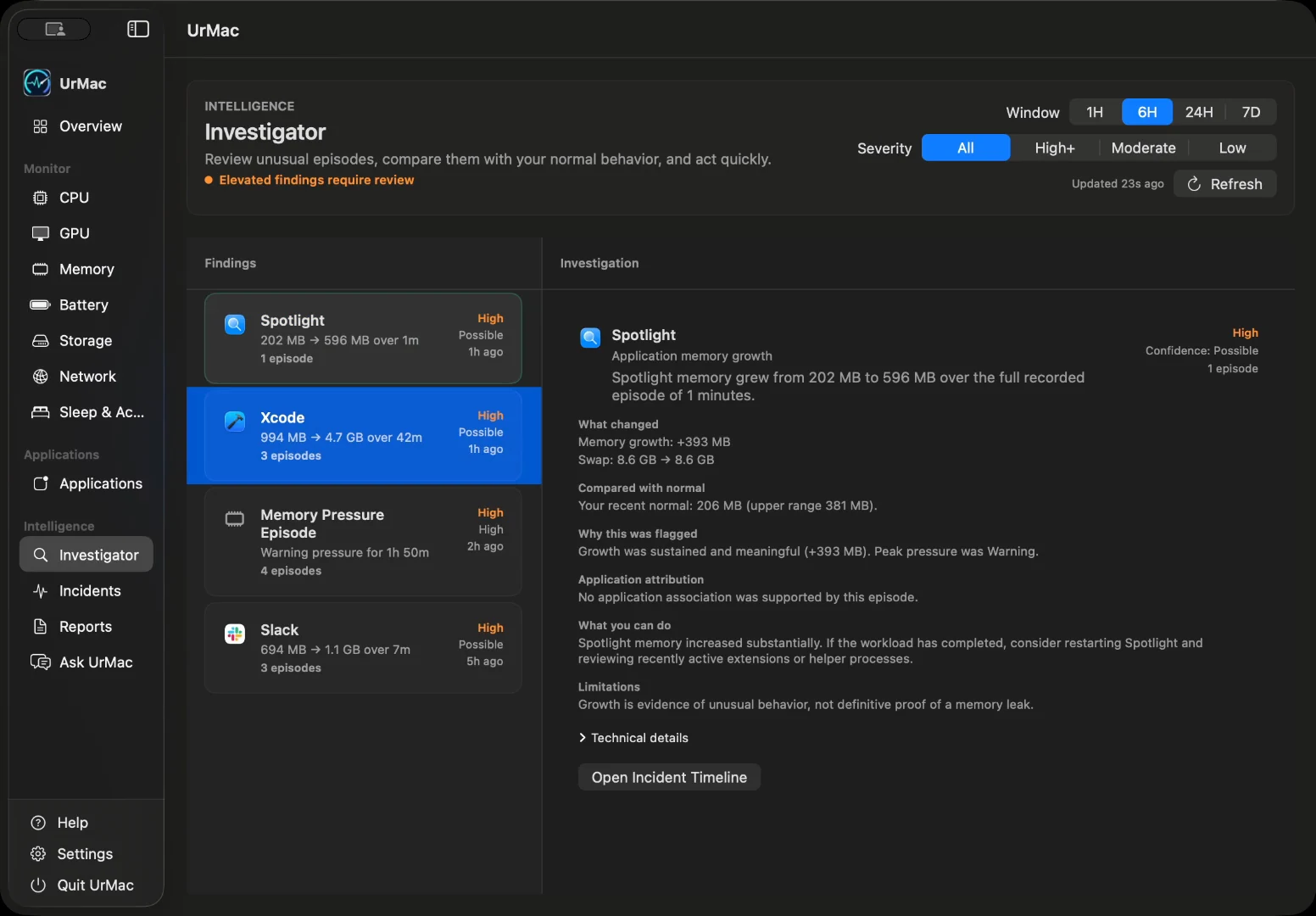
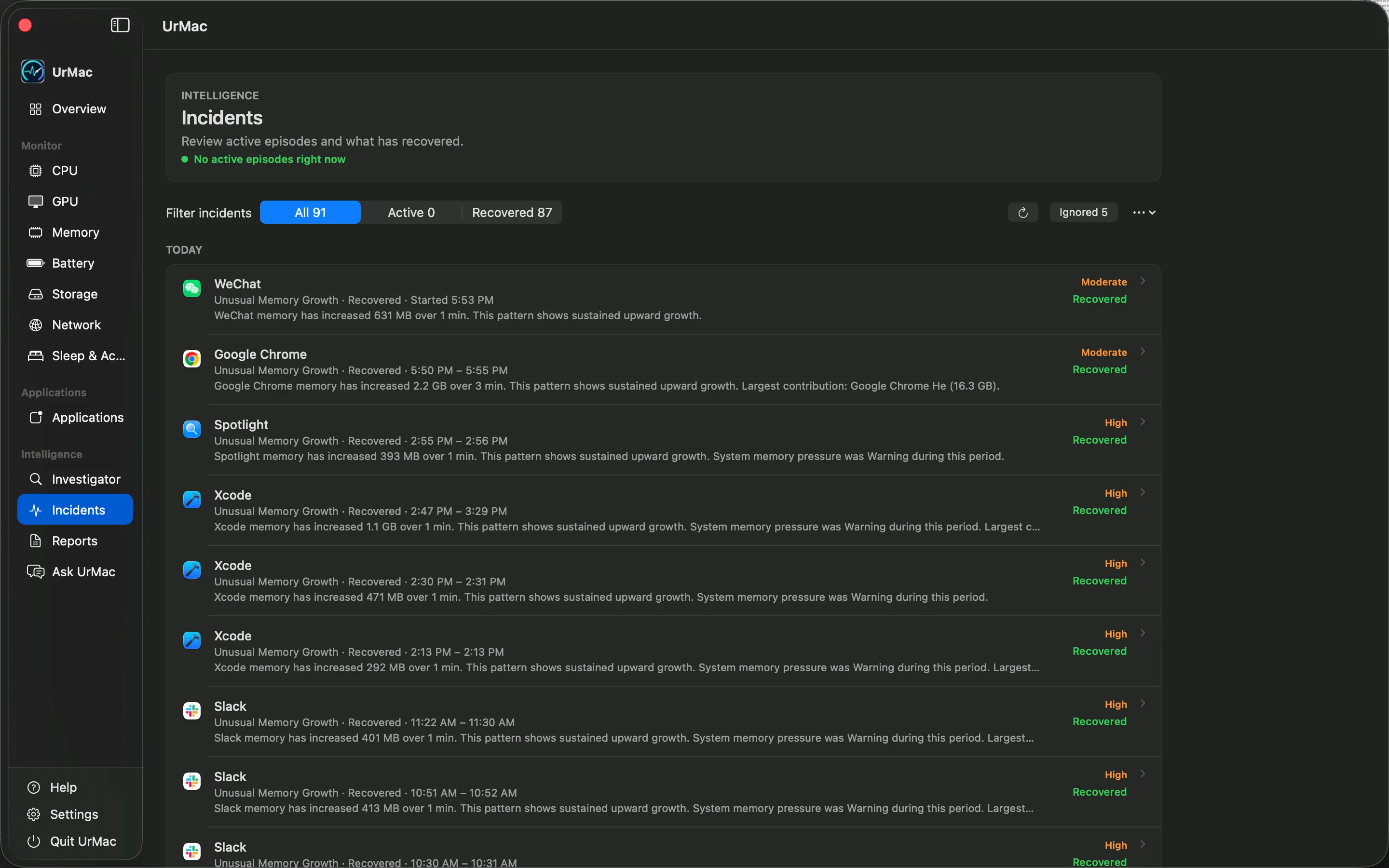
Incidents
Every slowdown has a story.
Review recorded performance incidents with their time window, severity, confidence, and related application evidence. Follow the timeline and available before, peak, and after context to understand the change.
- Incident timeline and severity
- Related application evidence
- Active, recovered, or unavailable state
Pro feature. Detection depends on available evidence; not every slowdown becomes an incident or has a confirmed cause.
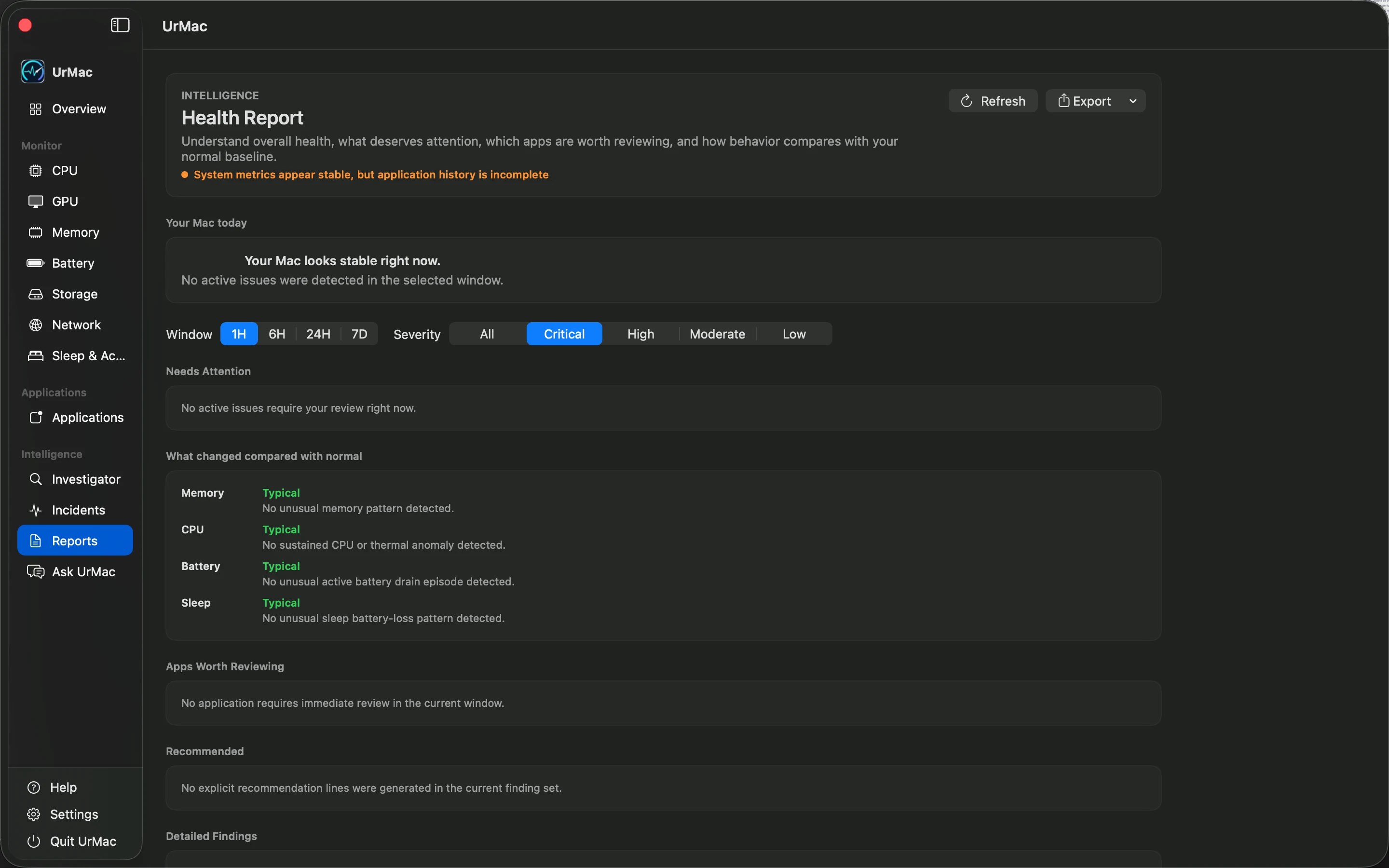
Reports
Turn performance history into useful insight.
Review findings and incidents for a selected time window, filter by severity, and revisit the available recommendations. Export a report as text, CSV, or JSON to keep a record for later review.
- Time-window and severity filters
- Findings, incidents, and recommendations
- Text, CSV, and JSON export
Pro feature. Reports reflect the history and evidence available for the selected period.
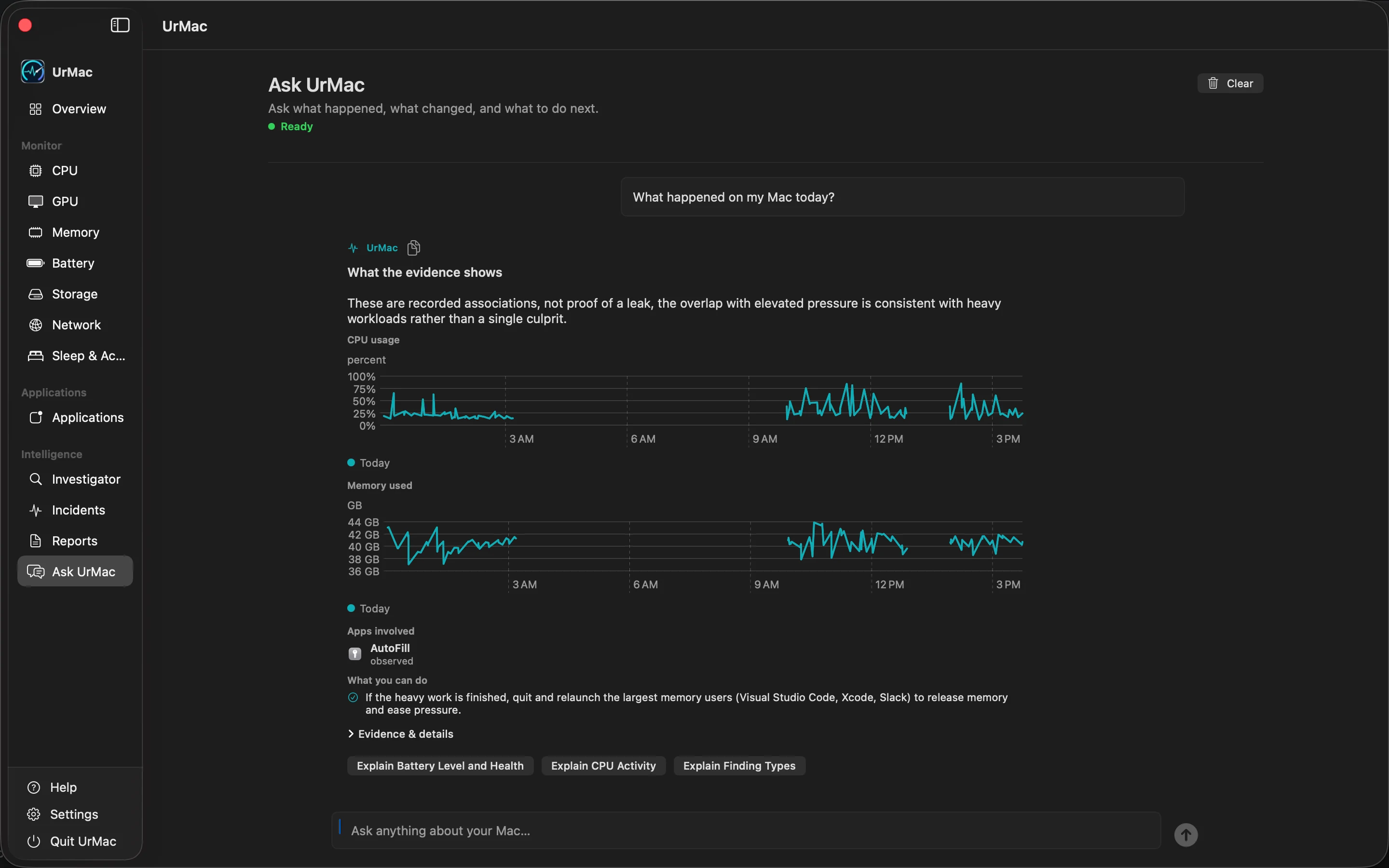
Ask UrMac
Ask UrMac, coming soon.
In a future release, ask questions grounded in bounded, structured context from your Mac's recorded activity, incidents, and baselines. Answers will depend on the evidence available, rather than an assumed explanation for every change.
- Bounded performance evidence
- Context from incidents and baselines
- Coming Soon: UrMac AI $7.99/month
Coming Soon. Includes UrMac Pro features while subscribed. AI-powered answers will be available in a future release. UrMac AI is not part of the initial app launch.
Availability
| Feature | Plan | Status |
|---|---|---|
| Investigator | UrMac Pro | Included |
| Incidents | UrMac Pro | Included |
| Reports | UrMac Pro | Included |
| Ask UrMac | UrMac AI | Coming Soon |
UrMac Pro is $24.99, a one-time purchase. UrMac AI is $7.99/month,Coming Soon, and not part of the initial launch. Includes UrMac Pro features while subscribed. AI-powered answers will be available in a future release.